


Clearer Dialogs for Everyday Classroom Tasks
Refreshed dialogs make classroom actions easier to review, with clearer Cancel buttons, distinct destructive actions and improved phone layouts.

Stay up to date with the latest features, improvements, and fixes to CodeHS.
Refreshed dialogs make classroom actions easier to review, with clearer Cancel buttons, distinct destructive actions and improved phone layouts.
Turn a question in the search bar into an Ask AI conversation without switching tools or retyping.
Read a video lesson at your own pace with a printable transcript and optional timestamps.

See each student’s overall course completion alongside their module-by-module progress, all in one view.

New class-wide quiz answer distributions help teachers spot common misconceptions and plan focused review, with counts and percentages for every answer choice.

New Gradebook statistics help teachers understand class performance, grade distributions, and individual student standing at a glance.

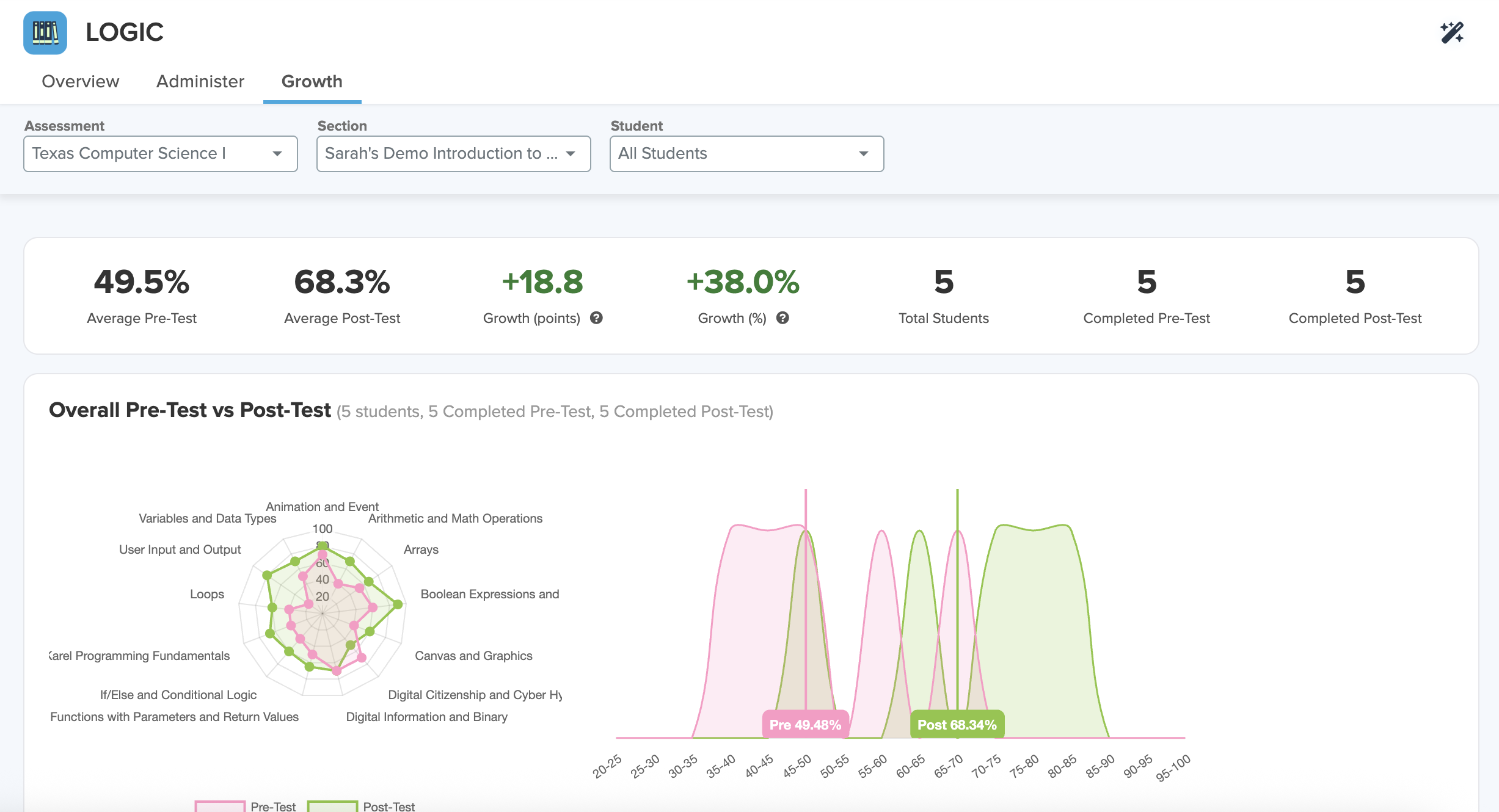
See how much your students grew this year with LOGIC's paired pretest and posttest, reported down to the concept and the student.
Students can request an AI hint directly in the editor when they get stuck, and it nudges them toward their next step without giving away the answer.

Code History now flags pasted code right on the timeline, so copy-pasted work is easy to catch at a glance.

Discover curriculum, manage classroom settings, and get instant student insights—all from a single AI chat within CodeHS.